Following steps are required implement customer account price lists
- Set Profile Option
- Link Customer to Price List
- Clear the web cache
Step 1: Set Profile option
Set the IBE: Use Customer Account Price List, site level to Yes to use the feature.
The default value is null, which is treated as No.
This profile option works along with the iStore site based price list profile option IBE: Use Price List Associated with Specialty Site
Following table gives the outcomes of the various value combinations for the profiles
| IBE: Use Price List Associated with Specialty Site | IBE: Use Customer Account Price List | Effective Price List (for the catalog and not the individual item) |
| Yes or Null | Yes | Customer account price list if existing, otherwise, site based pricelist |
| Yes or Null | No or Null | Site based price list |
| No | Yes | Customer account price list |
| No | No or Null | Best Price from pricing engine |
Note: If the customer price list is being selected, and some items in the catalog are not on the customer price list, the price on the catalog would be null (blank).
Step 2: Link Customer to Price List
For iStore to display the customer price list, the price list has to be assigned at the customer account level.
Navigate to the Customer Standard screen and query for the party name, select the party name to see all the accounts associated with the party
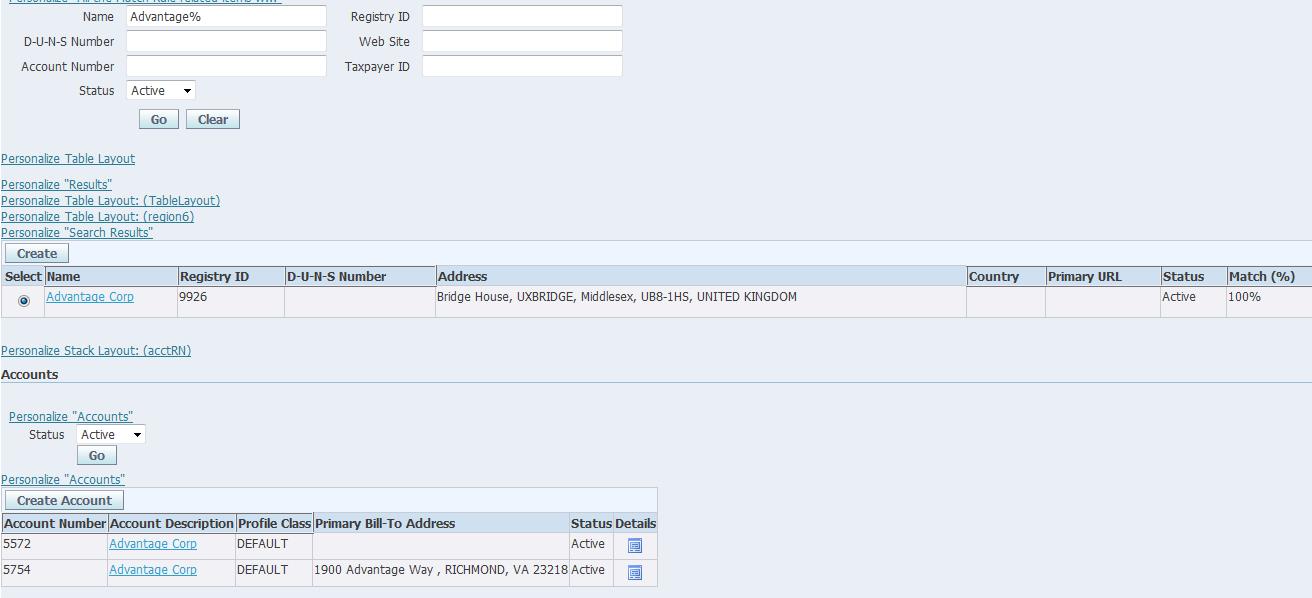
Click on the appropriate account number
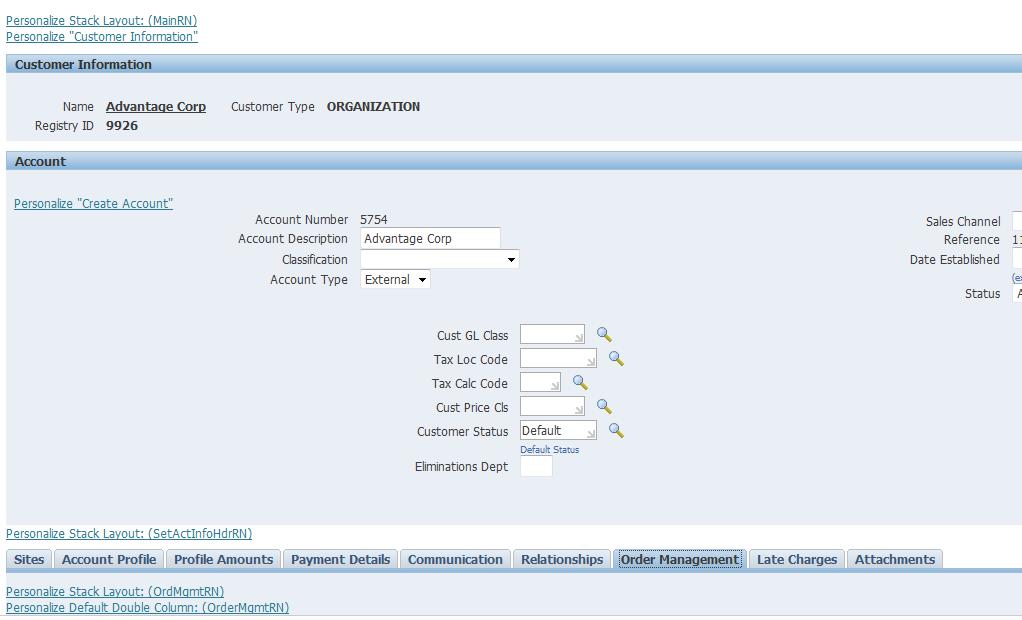
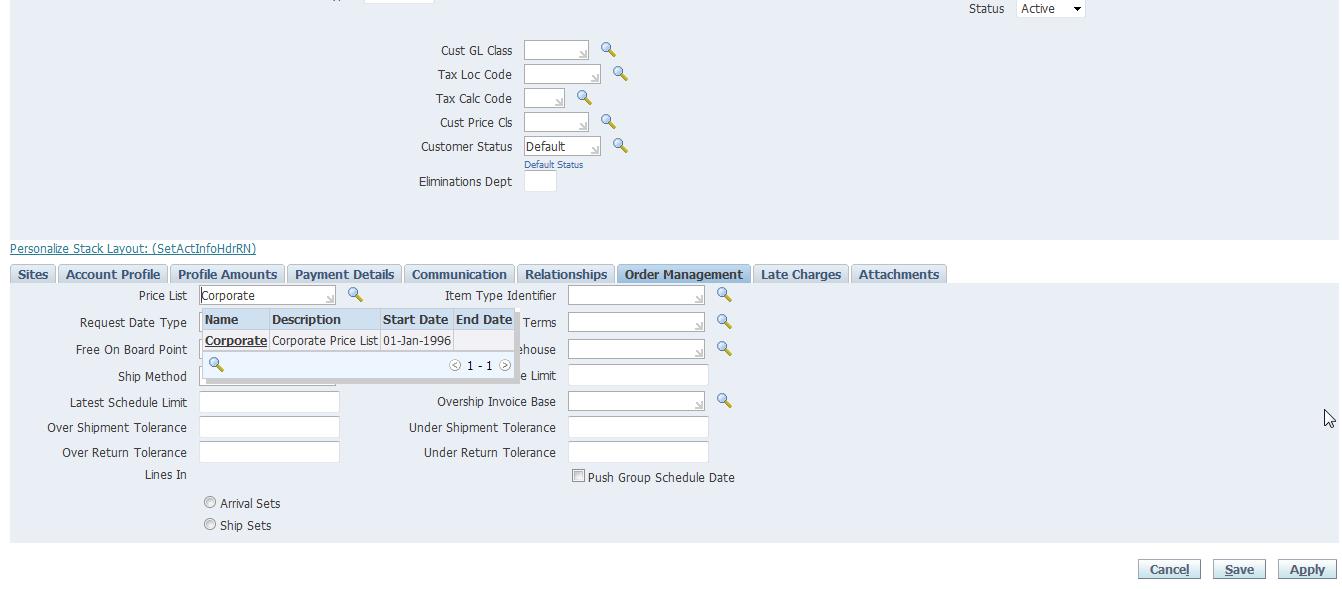
Click on the “Order Management” tab.
Select the pricelist for the customer account and click apply
Step 3: Clear the Web Cache
Responsibility: Functional Administrator
Core Services-> Caching Framework
Click on Global Configuration, and then click on “Clear All Cache”
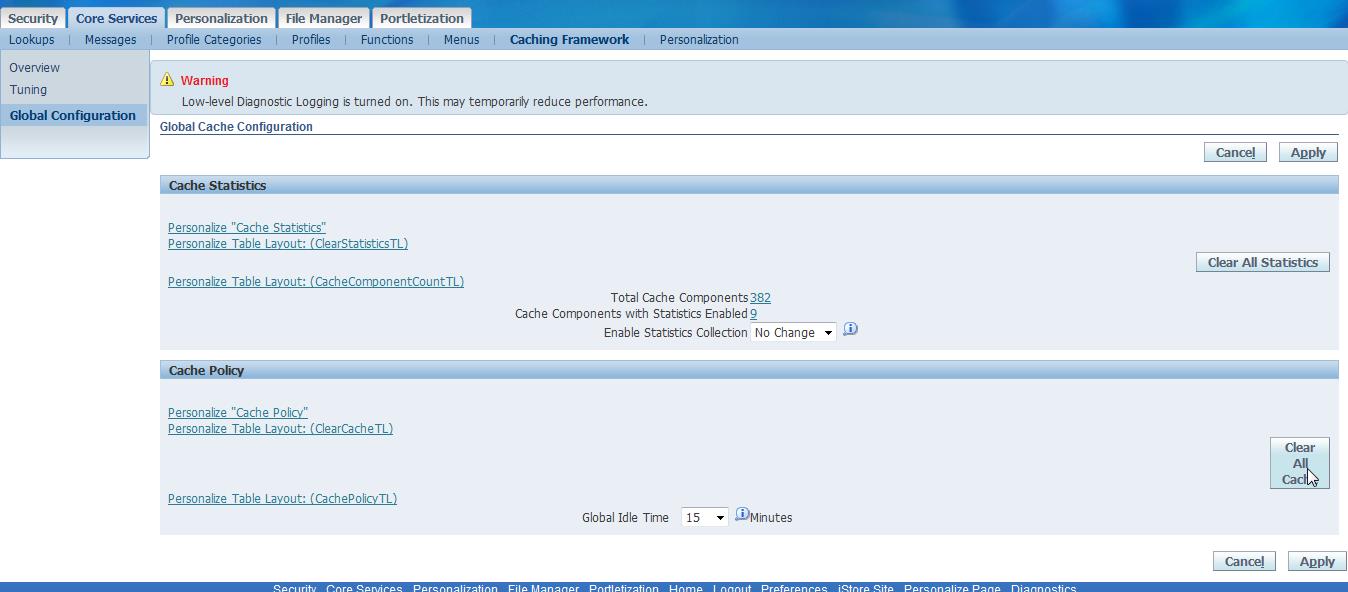
Click on “Yes”

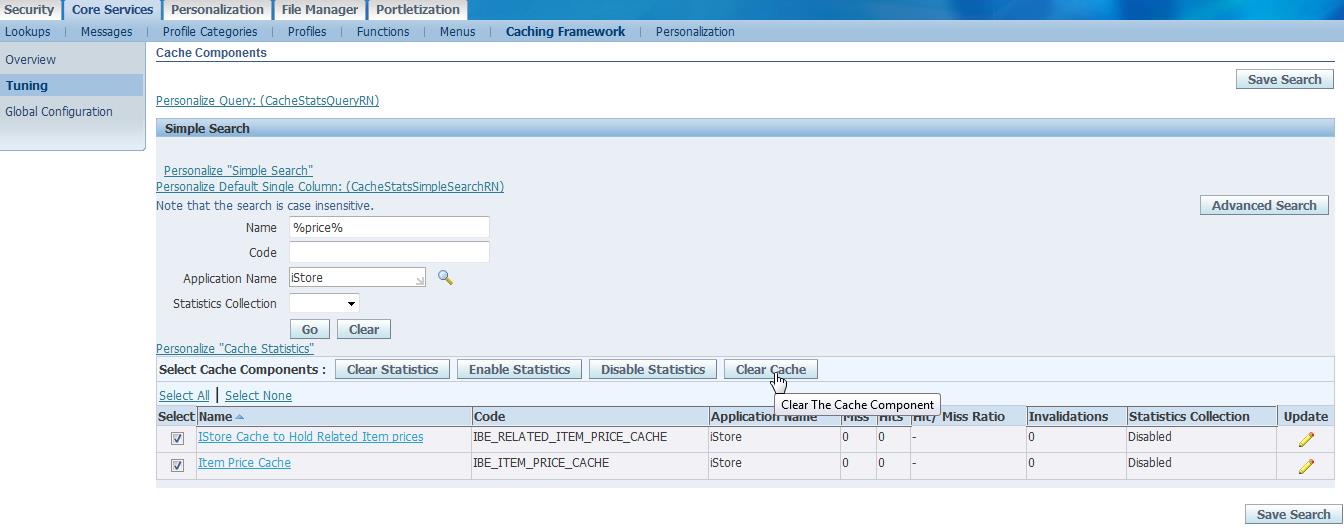
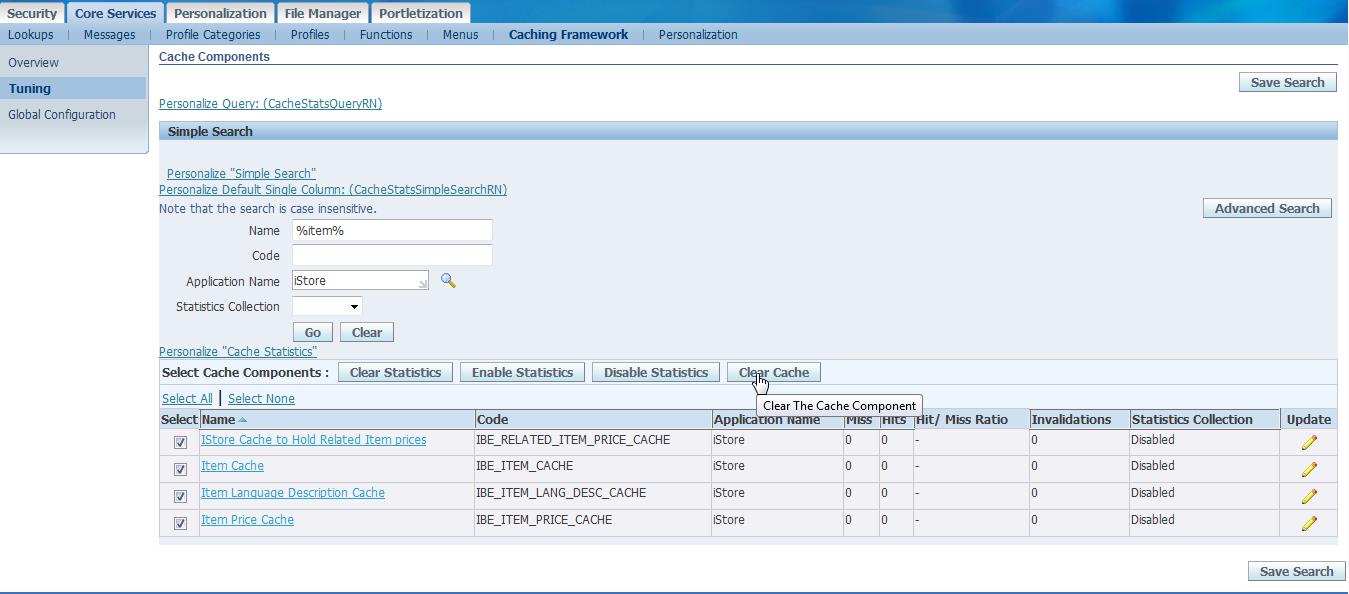
To remove iStore specific cache, click on “Tuning” in the left panel
Search for Name: %item% and Application Name: iStore
Select all and clear cache
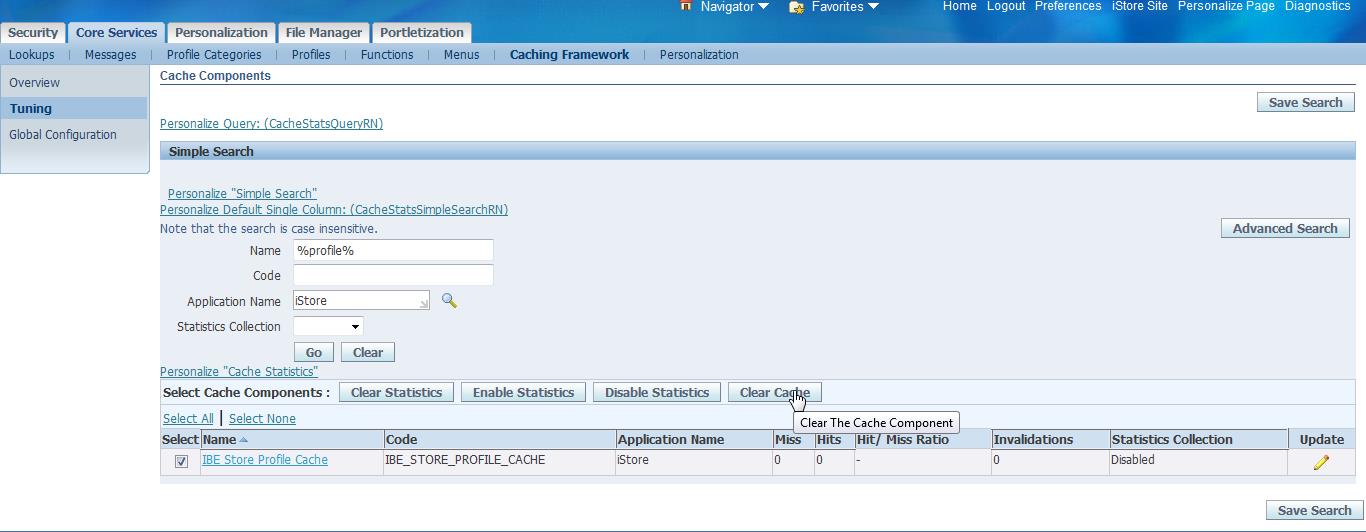
Search for Name: %profile% and Application Name: iStore
Select all and clear cache
Search for Name: %price% and Application Name: iStore
Select all and clear cache